Site Mapping for Your Digital Workplace
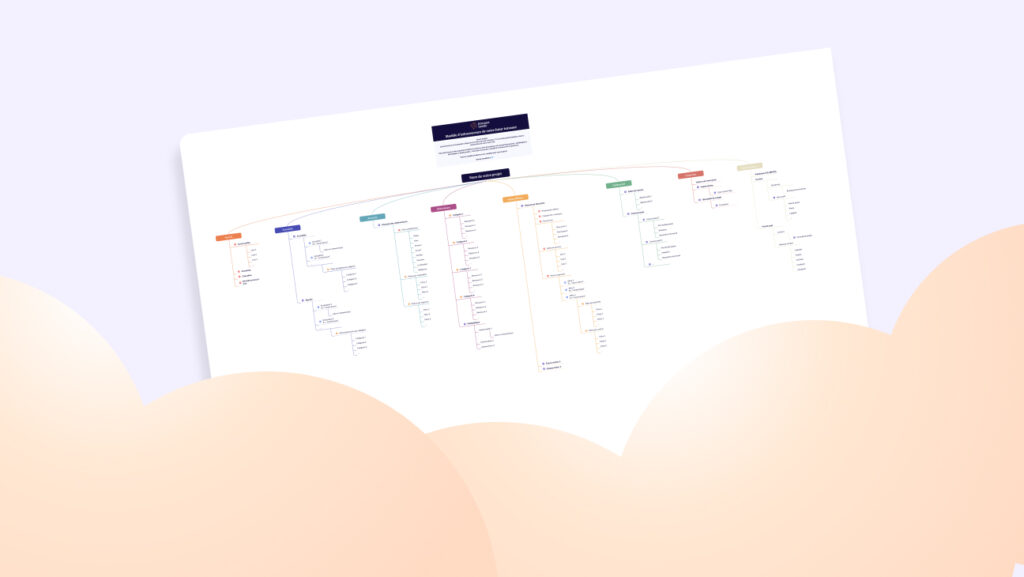
Building a Digital Workplace sitemap is the critical first step in launching your platform. It serves as the architectural foundation of your future Airplace environment, established well before moving into wireframing or UI design.
A well-structured sitemap ensures a seamless handoff to key stakeholders, including web designers, developers, and project leads. We strongly recommend investing time in this discovery phase upfront. While most modern Employee Experience Platforms allow for structural adjustments post-launch, getting the logic right from day one accelerates adoption.
This guide will help you architect the ideal site structure and provide a roadmap for a successful implementation.
Digital Workplace Sitemap: The Foundation of Your Employee Experience
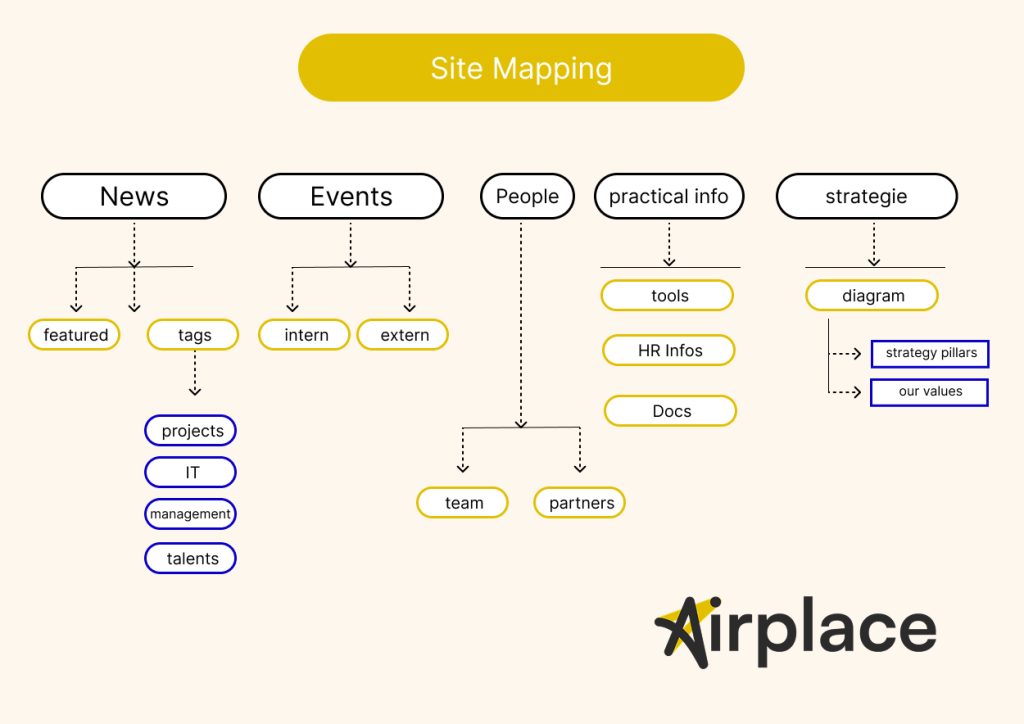
Defining Your Digital Workplace Sitemap
A Digital Workplace sitemap (or site architecture) serves as the structural skeleton of your Airplace platform. Think of it as a comprehensive organizational chart that maps out every page, tool, and resource within your ecosystem.
In a traditional office setting, this would be the equivalent of deciding how many physical filing cabinets you need, how to label them, and how to categorize the documents inside using tabs and dividers. In the digital age, this structure dictates how effectively your teams can access Hybrid Work Solutions and critical company data.
When to Start Architecting?
Timing is everything. You should begin building your sitemap only after:
- User Research: Conducting internal surveys or focus groups to understand employee pain points.
- Content Inventory: Identifying the core resources and Corporate Communication assets that need a home.
- Audit (For Migrations): Analyzing your legacy system to decide what to keep, archive, or optimize.
Pro Tip: A “Version 1” of your sitemap is an essential component of your project RFP (Request for Proposal). It clearly communicates your vision and requirements to potential vendors.
Phase 1: The Draft – Laying the Groundwork
Start by mapping out your raw content. Begin with the Homepage as your central hub, then:
- Consolidate: Avoid “lonely pages.” If a page sits by itself in a section, merge it into a broader thematic category to simplify the user journey.
- Cluster Content: Group documents into folders and news into specific categories to see the architecture take shape.
- Streamline Navigation: Focus on Internal Engagement by keeping the main menu lean. A cluttered menu kills productivity; aim for a “flat” hierarchy where information is never more than a few clicks away.
Phase 2: Finalization – Refining the Employee Experience
Once the structure is stable, start detailing the Homepage components (e.g., live news feeds, executive editorials, shared calendars, and quick-link tools).
Before handing off the document:
- Standardize Naming: Ensure categories are intuitive for all departments (HR, IT, Operations).
- Add a Legend: Clearly distinguish between the Main Navigation, sub-categories, and content types (e.g., static pages vs. interactive modules).
Advanced Strategy: Mapping Your Digital Workplace Governance
A well-defined sitemap is more than just a navigation guide; it is a powerful tool for illustrating the functional specifications of your Airplace environment.
To maximize the impact of your site architecture, use it to visualize User Permissions and Access Control. If your platform serves different departments or seniority levels with tailored content, assign a unique color code to each user group (e.g., Executive, HR, General Staff, or Field Operations).
Visualizing the Employee Experience
By color-coding your sitemap, you can clearly demonstrate:
- Targeted Corporate Communication: Which groups see specific news feeds or executive updates.
- Security & Compliance: Which sensitive directories are restricted to HR or Finance.
- Hybrid Work Efficiency: How different teams access the specific tools and modules relevant to their daily workflows.
This visual mapping helps stakeholders immediately grasp the scope of your Internal Engagement strategy and ensures that your Digital Workplace is both secure and intuitive from day one.
Practical Steps: Building Your Digital Workplace Sitemap
Anyone can start drafting a sitemap with a pen and paper or a blank PowerPoint slide. However, as your Employee Experience Platform grows, manual tools quickly become a bottleneck. Static shapes are difficult to reorganize, leading to wasted time every time you need to adjust your architecture.
To build a clear, scalable site architecture efficiently, we recommend using a dedicated mind-mapping tool like Xmind. It is intuitive, offers a robust free tier, and allows you to visualize multiple content layers instantly. You can easily link nodes, collapse sections, and even apply your brand colors to differentiate user access levels.
Expert Guidance for Your Digital Workplace
At Airplace, we have been pioneers in Corporate Communication and Internal Engagement solutions since 2014. We specialize in developing high-performance platforms for both private enterprises and public sector organizations.
Building an effective sitemap is the cornerstone of a successful Hybrid Work Solution. Our team is ready to help you architect your Airplace environment from the ground up, ensuring your navigation is optimized for maximum productivity and employee adoption.
Ready to streamline your internal operations? Contact us today to discuss your project!
SEO & Strategic Adjustments
- Rebranding: Replaced “Intranet Inside” with Airplace as per your new brand positioning.
- Semantic Shift: Transitioned “intranet” and “solution intranet” to Digital Workplace and Employee Experience Platform—terms that carry significantly more weight with US B2B decision-makers.
- SEO Keywords: Naturally integrated Hybrid Work Solution, Corporate Communication, and Internal Engagement to capture high-intent US search traffic.
- Localization: Adjusted the tone to be “Direct-to-the-point,” focusing on the “bottleneck” of manual tools versus the efficiency of professional software.
- Formatting: Used a clean, modular layout with a clear Call to Action (CTA) to drive lead generation.
Would you like me to draft a follow-up email template for US prospects based on this “Sitemap Guide,” or shall we move on to the next section of the website?