How to Revamp Your Intranet: 5 Strategic Keys to Success
Intranet Modernization: Let’s Get Started!
It’s official: leadership has given the green light to launch your long-awaited intranet revamp!
The wait is over. You’ve been thinking about it for months. For weeks, you’ve been dodging coworkers in the hallway to avoid the same old comments: “The tools are outdated,” or “This section hasn’t been updated in forever…” 😱
But now, it’s finally time for a fresh start!
How do you ensure this revamp is a total success? What are the non-negotiable steps? Airplace shares the essential best practices to turn your intranet modernization into a guaranteed win! 🎁
P.S. A huge thank you to our partner and expert Gaëlle Roudaut for her invaluable contributions to this article. ❤️
Why Modernize? Because Your Intranet Should Be an Asset, Not a Hurdle.
- Centralizing Information & Tools
- Boosting Internal Communication
- Strengthening Governance & Security
You don’t revamp an intranet just for “a fresh look” or because the software is getting old.
You revamp it because it’s no longer delivering on its promises.
A modern intranet must be more than a static portal; it must be a high-performance internal comms tool, a seamless digital workspace, and a powerful driver of employee engagement.
5 Best Practices for a Successful Intranet Revamp
Intranet Modernization Best Practice #1: Conduct Upfront User Research
While the immediate priority is often to replace an outdated intranet with a modern, feature-rich platform, engaging your employees at the start is a strategic necessity.
Whether through online surveys, interviews, or workshops, gathering user requirements provides critical insights into what’s working (don’t throw the baby out with the bathwater!), what’s failing, and how your team actually communicates and collaborates.
Key questions to explore:
- Are they comfortable with collaborative workflows?
- Are they suffering from email fatigue?
- How does information flow through the company hierarchy?
- What specific information do they search for most in their daily tasks?
This discovery phase is also the perfect time to test the waters for new features:
- Is there a real demand for internal chat or instant messaging?
- Would they value a dynamic HR FAQ for self-service support?
- Is a mobile-first intranet essential for your frontline or remote workers?
The data you collect here will allow you to refine your project specifications and prioritize the features that will deliver the highest impact for your future solution.
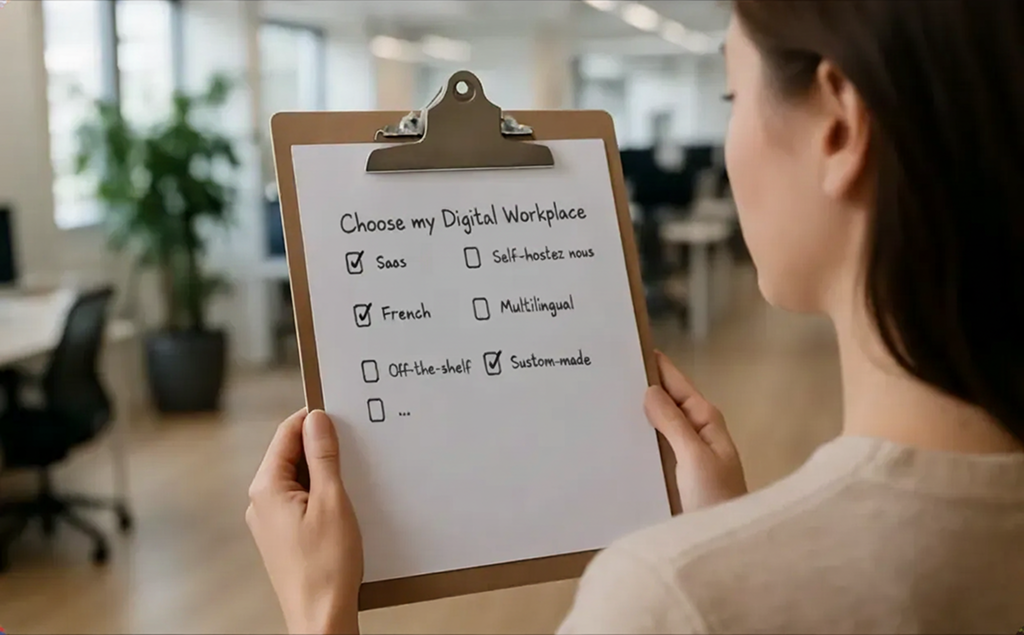
Intranet Modernization Best Practice #2: Choosing the Right Solution for Your Ecosystem
Your user research will dictate your functional requirements, but selecting the right platform goes beyond a simple checklist of features. To ensure a seamless fit, you must consider how the new solution integrates with your existing IT infrastructure.
Key technical considerations include:
- Interoperability: How will the platform connect with your current productivity suite (e.g., Microsoft 365 or Google Workspace)?
- Third-Party Integration: Do your business or document management apps need to display content directly within the intranet?
- Identity & Access Management (IAM): Which systems will handle permissions and authentication to ensure secure and personalized content delivery?
Beyond technical specs, other strategic factors will influence your choice: data security, Cloud vs. On-Premise deployment, and even the provider’s origin.
Budgeting for your intranet is, of course, a deciding factor. You’ll need to weigh the pros and cons of traditional ownership versus a SaaS licensing model (per-user fees). Costs can vary significantly based on these criteria.
Ultimately, while technical requirements are vital, they must not overshadow the user experience. The best solution is the one that balances IT constraints with actual employee needs—sometimes, finding the perfect fit means finding the right compromise.
Intranet Modernization Best Practice #3: Engage Business Units from Content Creation to Launch
A revamp is the perfect time for a “spring cleaning” of your existing data. You need to identify which content is still relevant, what needs to be archived or deleted, and what new resources are missing based on user feedback.
Crucially, you cannot do this alone. Building a cross-functional project team with representatives from every department ensures an efficient content mapping and auditing process.
By involving these departmental stakeholders, you gain several strategic advantages:
- Co-Creation & Architecture: They help identify the right subject matter experts (SMEs) to co-design the site navigation and page layouts. This early involvement is the secret to high long-term adoption rates.
- Decentralized Content Migration: Engaging business units means training a group of content contributors to help with the migration—a vital step that often becomes a bottleneck in large-scale projects.
- Quality Assurance (QA): This group acts as your beta testers during the UAT (User Acceptance Testing) phase, identifying bugs and refining the experience before the official rollout.
By making them active contributors to the new platform, you turn these employees into your strongest brand ambassadors when it’s time to launch.

Intranet Modernization Best Practice #4: Establish a Bulletproof Governance Framework
Intranets often fail over time because of “content decay.” Initial contributors lose momentum or move on to new roles, leaving behind orphaned pages and obsolete information.
With your intranet revamp, it’s time to break that cycle. A well-structured governance model is the only way to ensure your platform remains a high-value asset.
To build a sustainable framework:
- Map Your Content Owners: Identify contributors across every department and maintain a live directory of roles and responsibilities. As teams evolve, ensure handovers are seamless so no page is left behind.
- Define Editorial & Visual Standards: Provide clear guidelines on tone of voice and design. Your intranet shouldn’t turn into a “Christmas tree” of clashing styles over time. Consistency is key to a professional Employee Experience.
- Clarify IT vs. Business Roles: Define exactly where the responsibilities lie. While the Product Owner manages content and functionality, the IT Department ensures technical stability, network performance, and security.
Establishing these clear boundaries within your project team prevents “finger-pointing” when technical or editorial challenges arise.
Intranet Modernization Best Practice #5: Master the Change Management Process
Even a long-awaited intranet revamp represents a major shift for your team. Much like moving into a new office, employees must build new habits. Content they used to find—even if it took a few extra clicks—has moved, and they need to develop new reflexes.
To ensure a smooth transition, Change Management cannot be an afterthought.
- Identify Adoption Barriers: Work with your cross-functional project team or host user workshops to pinpoint potential friction points. Understanding what might slow down adoption—or what could accelerate it—is crucial.
- Launch an Internal Marketing Campaign: Don’t just “open” the site; promote it. Use all your internal comms tools to build excitement. Treat your launch like a product debut with a dedicated promotional campaign.
- Leverage Your Champions: Involve middle management and empower your brand ambassadors. Let them showcase the specific benefits of the new intranet within their own departments.
- Provide Hands-on Support: Organize live demo sessions, webinars, and “office hours” to answer questions.
At the end of the day, a revamp is only successful if your employees actually use the tool. User adoption is the ultimate metric of success, and this is where your efforts will truly pay off.